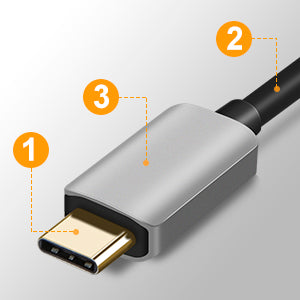
USB-C to DisplayPort Adapter 8K@60Hz
dp adapter compatible MacBook Air
Does laptops have DP port
dp connect oculus and pc
8k hdr displayport
USB-C to DisplayPort Adapter 8K@60Hz

SKU: CD0718

USB-C to DisplayPort Adapter 8K@60Hz

Regular price$21.59
/
    Overview
  • Provide up to 8K@60Hz immersive digital display connection (video & audio) between DP-enabled USB-C devices and DP-enabled TVs, monitors, and projectors.
  • • Supports 8K@60Hz, 4K@144Hz, 2K@165Hz
  • • Supports DP 1.4; Aluminum shell
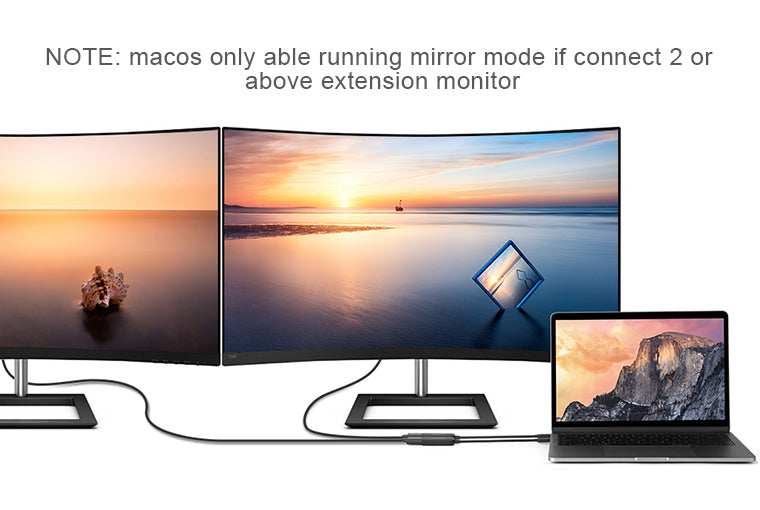
  • • Supports Multi-Stream (MST) for daisy chaining multiple monitors
  • • A DP cable is needed (sold seperately)
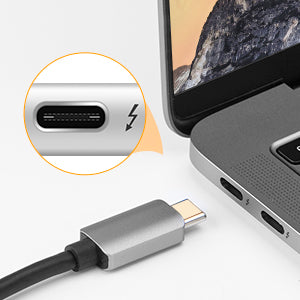
  • NOTE: The laptop/ tablet/ PC MUST support Thunderbolt 3 or Display output(DP ALT).

→ Request Bulk Pricing

Color
Overview
Compatibility
Faq
Review

Overview

Plug and play, Set Up a Workstation at Home

【8K@60Hz DP Adapter】- This USB C to DisplayPort cable adapter is design to extend or mirror the tiny screen of laptop, tablet, PC, docking station to projector, monitor that has a DisplayPort interface. Ideal solution when your work at home do data analysis, blueprint design, daily Stock trading, class teaching.

【Plug and Play】- No driver, or software required. The laptop/ tablet/ PC MUST support Thunderbolt 3 or Display output(DP ALT)OTHERWISE IT IS NOT COMPATIBLE. Supports DisplayPort 1.4/1.2 Alt mode. Please use DP 1.4 or above DisplayPort cable.
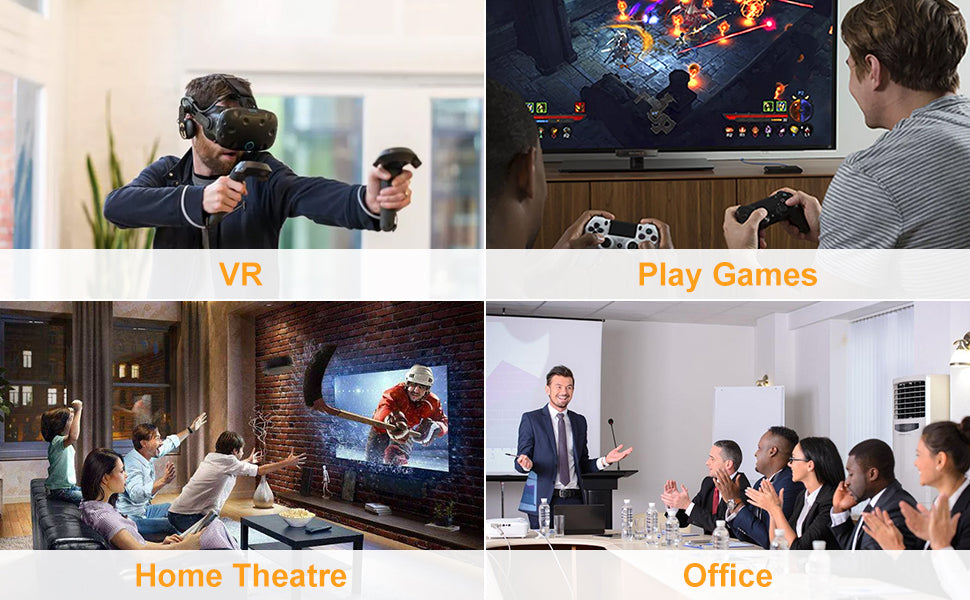
8K USB to DisplayPort Adapter Suitable for Various Situation

If you connect this USB C to Display Port Adapter to VR Devices, please note:

  • • Please make sure your graphics card and DisplayPort cable support DisplayPort 1.4, as VR headsets require DisplayPort 1.4 support;
  • • USB-C ports must be wired to dedicated graphics cards from AMD or Nvidia (Such as Nvidia RTX 2070 / 2080);
  • • USB-C ports wired to Intel integrated graphic cards are not supported for VR application.
  • Thunderbolt 3 Compatible

  • • Thunderbolt 3 computer host compatible
  • • Please make sure your device support DP ALT Mode
  • Good Construction

    Multi-Shielding ensures the stability of signal transmission

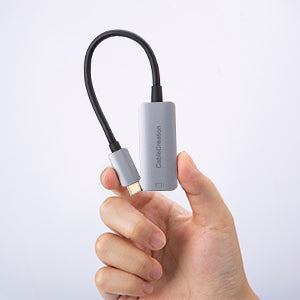
    Portable DisplayPort to USB C Adapter

    This lightweight and portable 8K USB C to DP Adapter is no driver or software required.

    Compatibility

    LAPTOPS & TABLETS & PHONES (INCOMPLETE)
    • MacBook Pro 2020/ 2019 / 2018 / 2017 / 2016 ,
    • Mac Pro / iPad Pro 2018/2020,
    • iMac (Mid 2017) and newer / iMac Pro,
    • Mac Mini (Late 2018) and newer,
    • MacBook (Early 2015) and newer,
    • MacBook Air (Late 2018) and newer,
    • New Chromebook Pixel / Pixelbook 2-in-1,
    • Pixel Slate 2-in-1 / Chromebook Pixel (2015),
    • HP EliteBook Folio G1/Spectre 13 laptop,
    • HP Spectre x360 2-in-1,
    • Lenovo Thinkpad E580 / T470 / T480 / X1 Carbon (2017),
    • Lenovo A485 / A285 / E485 / E585 / Yoga 900 / 910 / 920
    • Asus Zen AIO All in One PC
    • Microsoft Surface Book 2/surface go
    • Samsung Galaxy S20/S20+/S20 Ultra/ S8 / S8+ / Note8,
    • Samsung Galaxy S9/ S9+/ Note9/ S10/S10e/ S10+/Note 10 and Tab S4,
    • LG G5 / G7 / G7+ / Q8 / V20 / V30 /V30+,
    • LG V35 / V35+ / V40 / Exodus 1,
    • HTC 10 / HTC U Ultra / U11+ / HTC U12+

    Faq

    Faq

    The usb c to displayport adapter is not compatible with my cellphone/laptop.

    Please note that our displayport usb c adapter requires your USB C host must support DP Alt Mode or Thunderbolt 3, otherwise it will NOT work.

    The item doesn't work with my laptop.

    If your USB-C host supports DP Alt Mode but the displayport adapter does not work, we suggest you:

    1. Use a shorter and higher quality DP cable (under 16ft) to try again. Also please make sure the DP cable is stable connected and do not move your laptop and cable during use.

    2. Go to the official website of your laptop, update the BIOS and graphics driver, then restart your laptop to try again.

    3. Set the laptop's resolution same as or lower 1080P.

    It isn't the correct adapter for what I need.

    Please note that this is USB C to DP converter, which is the ideal adapter for DP monitor, and we do NOT suggest you use DP to HDMI, DP to VGA, DP to DVI cable to convert. It is not compatible with HDMI, VGA or DVI display. Please confirm the interface of your monitor before purchaing.

    The displayport to usb c adapter does not work with Oculus Rift S.

    1. Your graphics card and DisplayPort cable support DisplayPort 1.4, as VR headsets require DisplayPort 1.4 support;:

    2. USB-C ports must be wired to dedicated graphics cards from AMD or Nvidia (Such as Nvidia RTX 2070 / 2080);

    3. Your USB C laptop/ cellphone must support DP Alt Mode or Thunderbolt 3.
    Reviews

    Reviews

    Customer Reviews

    Based on 5 reviews
    80%
    (4)
    0%
    (0)
    20%
    (1)
    0%
    (0)
    0%
    (0)
    G
    Geo***
    on time

    Great Product

    A
    Anoon
    Mid

    Cable works but it only tops at 1440p 120hz on intel MacBooks on a 1440p monitor although the full refresh rate is displayed in the menu however choosing 180hz on my monitor causes the right side to flicker which renders it unusable.

    R
    Roh**
    Does not dissapoint. Cable Creation makes the best products. Quality unmatched.

    Cable creation never disappoints. This is my 4th Cable Creation product.This review is for people who own a Apple Macbook Air M1 2020.Apple Macbook Air M1 2020 has a thunderbolt 3 port which is limited to 120Hz, so at full resolution it can only push 120Hz, which this adapter handles without any sweat.I use this adapter with an Alienware AW3225QF 4K monitor and a Display Port 1.4 certified cable you can achieve full 4K 120Hz or 2K 240Hz(low resolution), with HDR.But please keep in mind since I am using a 4K monitor, my Macbook M1 Air has to push the amount of pixels to a display that the Macbook doesn't support. Macbooks support 5K displays, since I am using a 4K display it takes additional processing power which might slow things down during graphic intensive tasks like illustrations and designing. Just keep your laptop properly ventilated in a cool room probably under an AC(that's what I do). Your electronic devices will thank you.The adapter will heat up and that is normal, keep everything ventilated and you will be fine.Remember, lower resolution will give you better refresh rates but that all depends on your laptop/device's processing power.Using a compatible windows laptop you can achieve full 4K, 240Hz.Check the screenshots attached.

    M
    Marlene G.
    Cable Creation says it all-always top quality

    It works exactly as advertised, as you'd expect from this company, reputation is very well-earned.

    T
    TW.
    Works with VR

    I bought this only to use my VR index with my Alienware computer and it allowed me to do just that

    You May Also Like